Dear Members,
First,
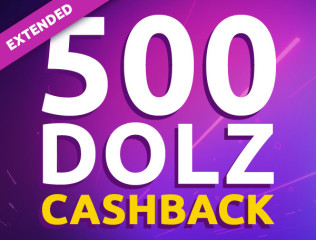
congratulations to the ones of you who have won 500 DOLZ by getting one Sonya Blaze "Soft Touch" trading card for a few dollars!
Isn't she irresistible when playing with her little feather duster... ?
NOW, your 500 DOLZ have reached your wallets, just in time to participate in Vanessa Alessia's auction!
For those of you who did not have the chance to step in the project yet OR if you were still reluctant to, we have decided to
extend the offer to Vanessa Alessia's trading card auction EDIT : currently live : https://dolz.io/auction/0x556BD2c615B642fc4b05405ba64C3f273EFa66F9
Reminder : to be eligible you have to:
- be at least silver (more than 10 cards in your collection) at the end of the auction.
- link your iStripper account to your wallet
- Win your very first trading card during this auction of Vanessa Alessia !
As announced, we have prepared a
super detailed and well done step by step guide accessible here:
US version : https://dolz.gitbook.io/dolz/how-to-for-beginners/buy-dolz-on-polygon
FR version : https://dolz.gitbook.io/dolz/guide-pour-debutants/acheter-des-dolz-sur-polygon
Let yourself be guided 🤗
You can also reach us by email (
[email protected]), PM, Telegram or Discord for any question at any step of your progression !
The Dolz community is super welcoming, friendly and helpful, join us ! 🤗
------------------------------------------
Chers membres,
Tout d'abord,
félicitations à ceux d'entre vous qui ont gagné 500 DOLZ en obtenant une carte à collectionner Sonya Blaze "Soft Touch" pour quelques dollars !
N'est-elle pas irrésistible quand elle joue avec son petit plumeau... ?
Vos 500 DOLZ sont maintenant dans vos wallet, juste à temps pour participer aux enchères de Vanessa Alessia qui viennent de commencer ce jeudi 13 juillet à 14h :)
Pour ceux d'entre vous qui n'ont pas encore eu la chance de participer au projet OU si vous étiez encore réticents, nous avons décidé d'
étendre l'offre aux enchères de la trading card de Vanessa Alessia qui EDIT : vient de commencer https://dolz.io/auction/0x556BD2c615B642fc4b05405ba64C3f273EFa66F9
Rappel : pour être éligible il faut :
- être au moins silver (plus de 10 cartes dans votre collection) à la fin de l'enchère.
- lier votre compte iStripper à votre portefeuille (wallet)
- Gagnez votre toute premièreTrading card lors de ces enchères de Vanessa Alessia !
Comme prévu, nous vous avons préparé un
guide pas à pas super détaillé et bien fait accessible ici :
Version US : https://dolz.gitbook.io/dolz/how-to-for-beginners/buy-dolz-on-polygon
Version FR : https://dolz.gitbook.io/dolz/guide-pour-debutants/acheter-des-dolz-sur-polygon
Laissez-vous guider 🤗
Vous pouvez également nous joindre par mail (
[email protected]), MP, Telegram ou Discord pour toute question, à n'importe quelle étape de votre progression !
La communauté Dolz est super accueillante, sympathique et serviable, rejoignez-nous ! 🤗