Starting October 1st 2021, it will be impossible for you to post pictures (nor gifs) on the iStripper forum and to send pictures to other members thru Personal Messages.
Of course, the forum remains open and all images posted before October 1st, 2021 will remain.
The iStripper team will also continue to post NEWS with images here :-P
To anticipate this change, we have opened a Discord server and re-created the main categories of the forum : everything about iStripper, studio, bugs & fixes, etc.
The craze for Discord and its appropriation by the members of the forum exceeded our expectations (over 4 262 members at this time) and the iStripper Discord server has become a warm community, where mutual aid and good humor reign supreme.
The whole iStripper crew, and more especially LisaParadis_honeybunny and myself sincerely thank you for this.
Discord has a lot of advantages.
You can :
- post pictures, gifs and videos
- access it thru your browser or from their app on your computer and your mobile (which means you get way faster help from other members!)
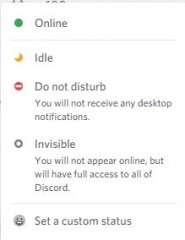
- see who is currently online
- exchange private messages with other members
- get instantly notified of important news like reload bonus, fansign, giveaways and so on
- you can even have voice conversations with other members if you like !
All this, in the same place !
HonneyBunny - LisaParadis explains this all way better than me, here https://discord.gg/SMwyryN9dC :-P
Artwork creators, I strongly invite you to post your scenes, replacement cards, custom skins, wallpapers and other creations in the channel created for this purpose in "Every Thing Else" : https://discord.gg/CcbhUCaB7W
Like on the forum, create a thread, give it a title and upload your content:)
If you need detailed explanation about how to use Discord, you can read the excellent tutorials made by WyldAnimal (among others) :
https://www.istripper.com/forum/thread/48313/1
But honestly, the best way to learn is to simply come and talk, there is always a friendly member to help & guide, that's the magic of Discord :)
See you there : https://discord.gg/dec3uuFPCq