Age Verification
This website contains age-restricted material including nudity and explicit content. By entering, you confirm being at least 18 years old or the age of majority in the jurisdiction you are accessing the website from.
I am 18+ or older - Enter
I am under 18 - Exit
Our parental controls page explains how you can easily block access to this site.

最後の投稿 - ページ#314

  掲示板

MarpH
Joined in Jun 2014
53 投稿

First to buy a card achievement

iStripperに関する全て
January 13, 2023, 42 アンサー
Yay!
I finally got this achievement with Sylvia Buntarka - Svelte & Sophisticated. I have only been trying for about a week and a half so I feel lucky looking at some of the other posts. And the fact that the achievement says that only 0.29% of users have this award!!
Some tips that I figured out along the way to help those still wanting the award.

I've been trying to get my Hands on this achievement for a while now, before I stumbled across your tips and I have to comment on it!
First, Thanks, your Tips had my mindset really grasp how to be the first one to get a card, though, when using your exact steps for the last three to four times I made purchases, I just didn't seem to get lucky.

Still commited, I was trying to find a way to have all three of today's releases sorted upfront in my wishlist, for quickly server syncing and being able to click them. While looking for a filter setting I unintentionally selected those cards in a group and chance had me pressing ctrl while nudging my cursor while selecting them letting me ***** them out, like with purchased cards you'd throw into a playlist.

The "Up next" playlist tab didn't let me insert them, BUT the playlist creating tab accepted them. And even with 1-click buy turned off, every still unreleased card was already displaying that "buy show" button, waaaaay before the enrollment window. When clicking it, the app would return a "server connecting issue" as they havn't been released on the server-side, yet, but This, plus a couple of "server sync " clicks turned out to be a good 150% faster if not more than your method.

I got the achievment with the first card released today, but I also had this unreal situation of buying the second card, getting a confirmation pop-up, just to have it still be shown as "coming soon" in the store after another syncing, while the buy now button on her card in my playlist tab returned me a "card is already in your collection" I think I was so quick to buy it, that even the DNS-Node host server my internet connects to still had it unreleased for atleast 3 good minutes while I already somehow succesfully transmitted a purchase-protocol to totem DNS servers.😇😂😋

So yeah, for future achievment hunters out there, I recommend ***** upcoming releases into a pseudo playlist, that way you can click buy before the app shows it in the store and just have to repeat until the server connect message suddenly is a purchase confirmation message 👌

celine
運営
Joined in Sep 2007
8687 投稿

Thank God It's Friday the 13th!

iStripperに関する全て
January 13, 2023, 0 アンサー
Releases of the week
  • Felice, so cute in this soft pink outfit for "Beddy Byes Time"
  • The superbe redhead Christal in a somptuous hip free black transparent dress for "Midnight Moves"
  • Lana Lane wet in a sexy brown bikini for "Splash Zone"
  • Mia Nix is also in summer ! Wearing a blakc bikini and fishnet dress in "Black Widow’s Web"
  • Any Moloko is Cleopatre this week!!! So cute in The Queen Of Denial
  • Ahhh, a new show of Sonya Blaze! She's STUNNING in this little latex dress, asking "Are You Bad Enough?" while agitating her whip...
  • one of my favorite shows of Kelly Collins is released today!!! "Party Pink" or the story of an incredible hip free pink dress...


And on mobile
  • Layla Scarlett "meet the boss"
  • Helina Dream is "A dream mate" with this red dress!!!
  • Clémence Audiard Divine in tis black lingerie show named "Sense of style"


And in VR 180:

Mia Nix, breathtaking !!!

https://www.istripper.com/vr180/detail/246f4c151a55f676


JUICY PINK & PROGRESSIVE REDRAW

Last week to enjoy the Juicy Pink and the Progressive Redraw and win credits, free cards, Special Event Cards and buy cards with amazing discounts!!

PLUS

Today is a Friday the 13th !

Let's test your luck ! We have launched a Friday the 13th lottery :

For each purchase of a card, wether on our promo games or on the store, you get 1 lottery ticket (premium members get 2 lottery tickets per card).

1 card added to your collection = 1 lottery ticket
PREMIUM MEMBERS : 1 card added to your collection = 2 lottery tickets

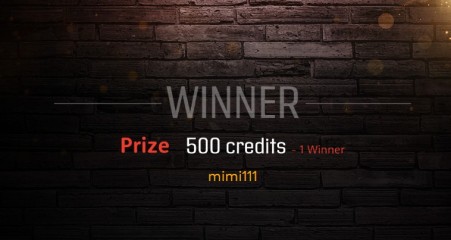
On Monday, Jan. 16, 11.00am Paris time, we will draw and select ONE winner who will win 500 credits !


And don't forget that this is the last week to enjoy the Juicy Pink and the Progressive Redraw!
Wyldanimal
モデレータ
Joined in Mar 2008
17641 投稿

Discussions for Scenes for Version 1.2.X Fullscreen Mode here

iStripperに関する全て
January 12, 2023, 5111 アンサー
Is there a way to include two textures into one sprite's fragment shader?

Have a look at this post.
https://www.istripper.com/forum/thread/27449/137?post=750264

I use two Sources and Combine them in one Shader.
Sources can be Images, Shaders, clips


in the scene file
sprite {
size: 1920, 1080
pos: 0, 0
source: Sweet,0 // combine 0
source: Stage,1 // combine 1
shader: fragment, Shaders/Combine-Exclude/combine2.fsh
blend: false
}

in the shader

#version 140

#extension GL_ARB_compatibility : enable
#extension GL_ARB_fragment_coord_conventions : enable
#extension GL_KHR_blend_equation_advanced : enable
// get inputs from scene
// if an input is missing it will default to 1.0
uniform float zeroPercent;
uniform float onePercent;
uniform float mixPercent;

uniform sampler2D texture0;
uniform sampler2D texture1;
varying vec4 gl_TexCoord[];


void main(void)
{
vec4 vTexCoord = gl_TexCoord[0];
float mixP = 0.0;
float oneP = 0.0;
float zeroP = 0.0;

highp vec4 zero = texture2D(texture0,vTexCoord.xy); // input zero 0
highp vec4 one = texture2D(texture1, vTexCoord.xy); // input one 1

// test all the inputs, if 0. then set to 1.0
if (mixPercent == 0.) {mixP = 1.0;} else { mixP = mixPercent;
}
if (onePercent == 0.) {oneP = 1.0;} else { oneP = onePercent;
}
if (zeroPercent == 0.) {zeroP = 1.0;} else { zeroP = zeroPercent;
}

// combine the inputs using the percentage values
gl_FragColor = ((mixP * ( (zeroP * zero) + (mixP * one)) ) * gl_Color);
gl_FragColor.a = (one.a * zero.a); // make the alpha the combined apha of both input channels

}

Previous ページ#314