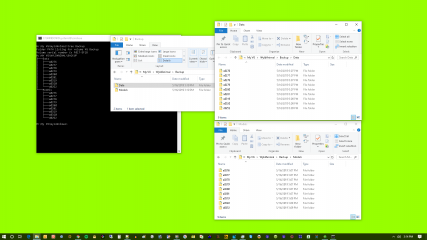
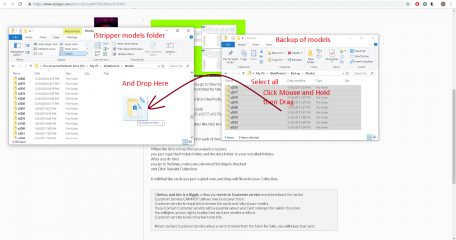
When you Back up a card, you go to the models folder and copy the Entire Subfolder for that models card
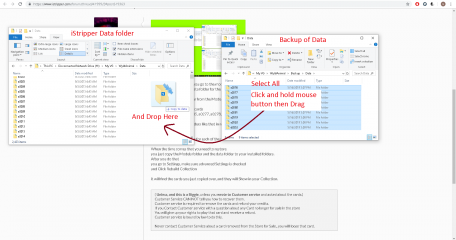
then do the same for the data folder for the same card.
So you will have a Subfolder from the Models Folder and One From the Data folder for the Same Card.
In this case it is all of these cards
a0320, a0319, a0279, a0285, a0277, a0278, a0281, a0280, a0276,d0252
Search Text for Text Filter
a0320|a0319|a0279|a0285|a0277|a0278|a0281|a0280|a0276|d0252
so you will have a set of folders like that in my Picture
A models folder
A data folder
and the complete subfolder for each of the cards.
When the time comes that you need to restore
you just copy the Models folder and the data folder to your Installed folders.
After you do that
you go to Settings, make sure advanced Settings is checked
and Click Rebuild Collection
it will find the cards you just copied over, and they will Show in your Collection.
( Unless, and this is a Biggie, unless you wrote to Customer service and asked about the cards.)
Customer Service CAN NOT tell you how to recover them.
Customer service is required to remove the cards and refund your credits.
If you Contact Customer service with a question about any Card no longer for sale in the store
You will give up your rights to play that card and receive a refund.
Customer service is bound by law to do this.
Never contact Customer Service about a card removed from the Store for Sale., you will loose that card.